











Free trial
$0 3 days
- Every Pro benefit
- Comics, web pages and PDFs
- No card, no sign-up
Open a webtoon, manga or manhua site, any web page, or a PDF on your iPhone. As you scroll, speech bubbles and text become your language right on the page. Try Pro free for 3 days, translated on device.
Comics, websites, PDFs on your phone. Mochi translates them in place and keeps the layout you know.
Webtoon, manga, manhua: Mochi reads the text in each image and redraws it in your language. Hold to peek at the original.
News, wikis, forums, web novels. Turn on page translation and each paragraph changes as you scroll.
Pick a PDF from Files or iCloud Drive. Mochi translates text and images page by page and keeps it in your history.
Every new account gets all of Pro. No card, no sign-up: install and read.
Download on the App StoreManga, websites or web novels: just scroll as usual and Mochi translates right on screen.
 Manga · Webtoon
 Websites
 Web novels
Because Mochi Reader is a browser. Nothing to download, no new habits.


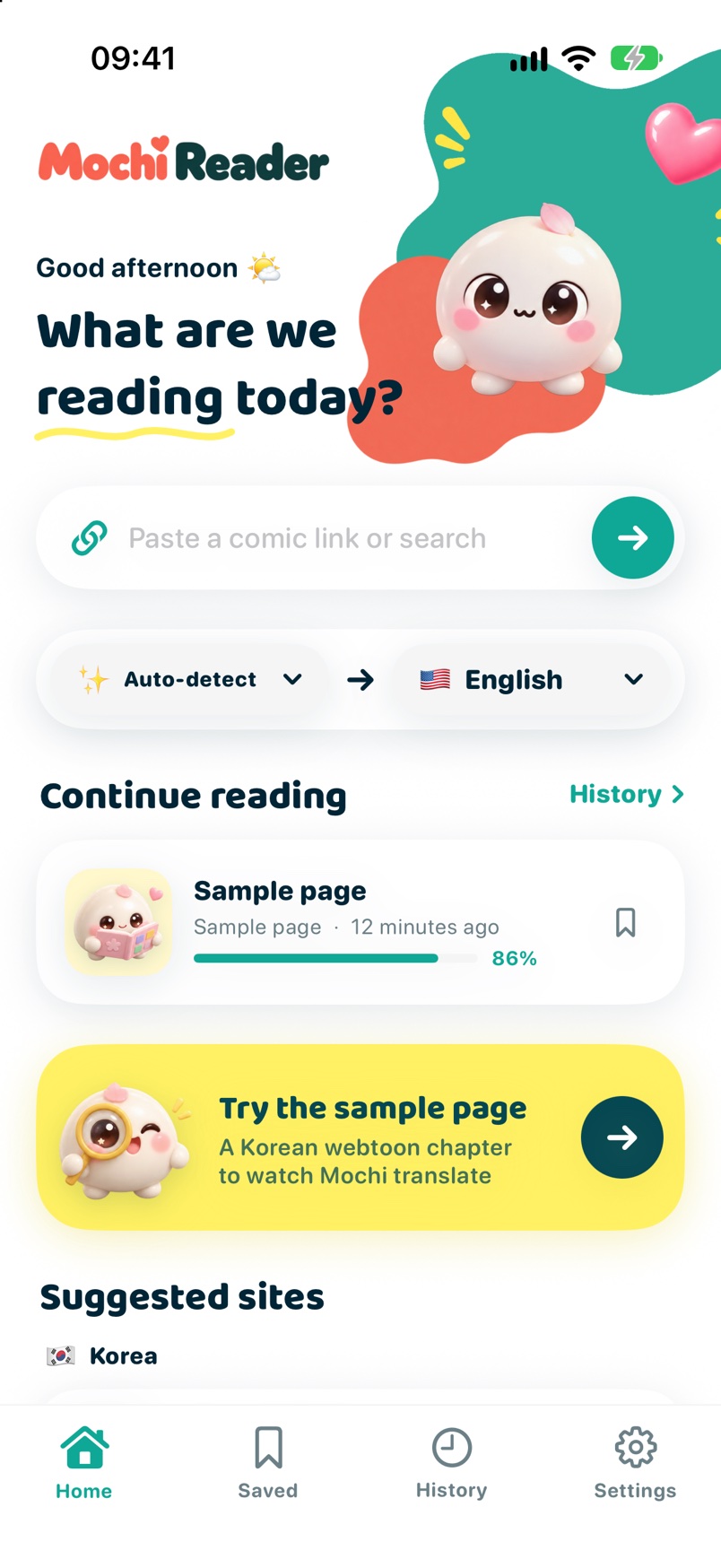
Paste a link or search like in any browser. Log in if the site needs it; cookies stay put.
Mochi reads two screens ahead, detects text, groups speech bubbles and translates the whole page in one go to keep context.

Hold to peek at the original. Long-press a bubble to edit. Reopening a page costs nothing.
One small mochi, many useful tricks.
Apple Translation runs right on your iPhone (iOS 18+). No network, no images sent anywhere.

Mochi erases the original lettering and redraws the translation to fit, keeping each bubble’s background and text colors.
Character names, honorifics and terms are remembered and reused across chapters.

Translated pages are cached on device. Rereading is instant and does not count against your quota.
Not happy with a line? Long-press the bubble to fix the text, resize it or view the original.
Tiếng Việt, English, 日本語, 中文. Target language follows your device and can be changed anytime.
Every new account gets Pro free for 3 days. After that, pick a plan; cancel anytime in iPhone Settings.
$0 3 days
$29.99 /year
$3.99 /month
$79.99 one time
Prices shown for the US App Store; App Store prices may differ by country. Subscriptions renew automatically and are managed in your Apple ID.
Purchased and managed through the App Store

Mochi is built not to know what you read.

With Apple Translation, text recognition and translation happen entirely on your iPhone.

Open the app and read. Sign in with Apple only if you want to keep Pro when you switch phones.

Our servers only record how many pages you translated and your plan status. No images, no titles, no links, unless you send us feedback yourself.
Yes, as long as the site opens in a browser. Mochi Reader catches images as you scroll and does not depend on a specific site. Sites that need a login work too; cookies are kept like in Safari.
Horizontal text (Korean, Chinese, horizontal Japanese) reads well. Vertical Japanese is decent today and a dedicated manga text recognizer is in progress. You can always hold to see the original.
To load the comic site, yes. Text recognition and translation run entirely on your iPhone with Apple’s on-device engine and need no network.
Open iPhone Settings → your name → Subscriptions → Mochi Reader Pro → Cancel. You keep Pro until the end of the paid period. Apple handles all payments; Mochi never sees your card.
No. Images and translated pages live only in a cache on your phone, which you can clear in Settings. Our servers record only a daily page count to manage your trial and plan. Only when you send feedback with a page screenshot attached does that image reach us.


Every new account gets Pro free for 3 days. After that, pick a plan; cancel anytime in iPhone Settings.
Download on the App Store